

Why Mood Boards Transform Your Design Process
Picture this: you’re staring at a blank canvas, overwhelmed by endless design possibilities. Colors, textures, fonts, and imagery swirl through your mind without direction. This creative chaos is exactly why learning how to create a mood board for design can revolutionize your workflow.
A mood board serves as your visual north star, capturing the essence and emotion of your project before you commit to specific elements. It’s the difference between wandering aimlessly through design choices and walking confidently toward a cohesive vision.
Whether you’re designing a website, planning an interior space, or developing brand identity, mood boards eliminate guesswork and provide clear creative direction for every decision that follows.
Understanding the Anatomy of Powerful Mood Boards
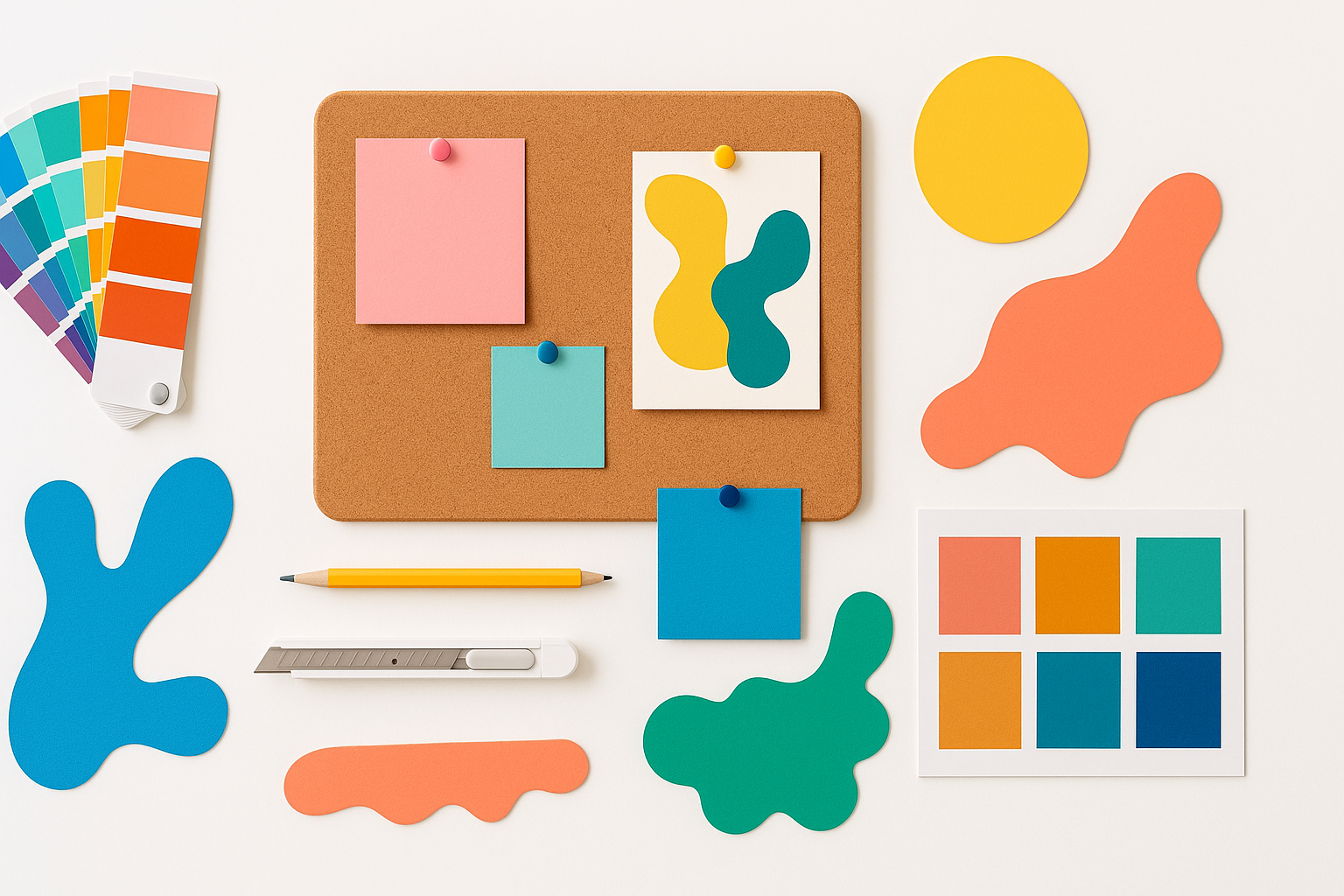
Great mood boards aren’t random collections of pretty pictures. They’re strategic compositions that communicate specific feelings, styles, and directions through carefully curated visual elements.
Color palettes form the emotional foundation of your board. Warm earth tones evoke comfort and authenticity, while cool blues suggest professionalism and trust. Your color choices should align with the psychological impact you want to achieve.
Typography samples hint at personality and tone. Elegant serif fonts communicate tradition and sophistication, while bold sans-serif typefaces feel modern and approachable. Include 2-3 font examples that capture your project’s voice.
Imagery and photography provide context and inspiration. These visuals should represent the style, mood, and aesthetic direction rather than literal interpretations of your final design.
Textures and patterns add depth and tactile appeal. A rough concrete texture suggests industrial minimalism, while soft fabric textures evoke warmth and comfort.
Step-by-Step Process for Creating Compelling Mood Boards
Research and Inspiration Gathering
Start by collecting visual inspiration without judgment. Browse design galleries, Pinterest boards, magazines, and real-world environments that resonate with your project goals.
Save everything that catches your eye initially. You’ll refine and curate later, but this brainstorming phase should be expansive and intuitive.
Look beyond your immediate industry for fresh perspectives. Fashion photography might inspire your web design color scheme, or architectural details could influence your branding approach.
Define Your Project’s Core Message
Before arranging visuals, clarify what emotion or impression your design should convey. Write down 3-5 descriptive words that capture your desired outcome.
Examples might include “playful and energetic,” “sophisticated and minimalist,” or “warm and approachable.” These descriptors will guide your visual selections and help you stay focused.
Curate and Organize Visual Elements
Review your collected inspiration with fresh eyes. Remove anything that doesn’t support your core message, even if you love it individually.
Group similar elements together: all color inspirations in one area, typography in another, textures in a third section. This organization helps you identify patterns and gaps in your visual direction.
Aim for 8-15 carefully chosen elements rather than overwhelming your board with dozens of images.
Arrange for Maximum Impact
Composition matters as much as content. Place your most important inspiration piece prominently, then arrange supporting elements around it in a visually balanced way.
Consider the flow of your viewer’s eye across the board. Strong visual elements should guide attention naturally from one section to the next.
Leave some breathing room between elements. Cluttered mood boards lose their impact and become difficult to interpret.
Digital Tools That Streamline Mood Board Creation
Pinterest remains the go-to platform for many designers. Its visual search capabilities and collaborative features make it perfect for initial inspiration gathering and client sharing.
Milanote offers a more structured approach with templates specifically designed for creative briefs and mood boards. Its note-taking features help you document the reasoning behind visual choices.
Adobe Creative Suite programs like Photoshop or InDesign provide ultimate control over layout and composition. These tools work best when you have specific size requirements or need to match brand guidelines precisely.
Figma or Sketch serve dual purposes, allowing you to create mood boards within the same environment where you’ll execute your final designs. This seamless workflow reduces friction between inspiration and implementation.
Physical mood boards still have their place, especially for interior design or when working with tactile materials. Print shops can help you achieve professional results with foam core mounting and proper lighting.
Common Pitfalls and How to Avoid Them
Many designers create mood boards that are either too literal or too abstract. Avoid using exact images of what you plan to create. Instead, focus on capturing the feeling and style direction.
Don’t let personal preferences override project requirements. Your mood board should serve the client’s needs and target audience, not your individual taste.
Resist the urge to include every beautiful image you find. Restraint and curation create more powerful, focused mood boards than overwhelming collages.
Avoid creating mood boards in isolation. Share early drafts with stakeholders to ensure you’re heading in the right direction before investing too much time in refinement.
Using Mood Boards for Client Communication and Buy-In
Present your mood board as a conversation starter, not a final decision. Explain the reasoning behind each element and how it connects to project goals.
Ask specific questions about client reactions: “How does this color palette make you feel?” or “Which typography style better represents your brand personality?”
Use mood boards to establish boundaries and expectations early in the design process. When clients understand and approve the visual direction upfront, you’ll face fewer revision requests later.
Consider creating 2-3 different mood board directions for complex projects. This approach gives clients choices while keeping options focused and manageable.
Translating Mood Boards Into Finished Designs
Reference your mood board throughout the design process, not just at the beginning. When facing design decisions, ask whether each choice aligns with your established visual direction.
Extract specific color codes, font names, and style characteristics from your mood board elements. This practical information bridges the gap between inspiration and implementation.
Don’t feel locked into every detail of your mood board. It’s a guide and inspiration source, not a rigid template. Allow room for creative evolution as your project develops.
Building Your Design Confidence Through Visual Planning
Mastering how to create a mood board for design transforms you from a reactive designer into a strategic visual storyteller. You’ll approach projects with clarity and confidence, knowing exactly what emotional impact you’re working toward.
This systematic approach to visual planning reduces client revisions, streamlines your creative process, and produces more cohesive final designs. Your mood board becomes the foundation that supports every creative decision that follows.
Start with your next project, however small. Practice this process until it becomes second nature, and watch how it elevates both your design quality and professional credibility.
